Skip to content
MerryQuery

ExLAIM · Summer 2026

Teachers and developers, building together

ExLAIM is a six-week NC State program that brings K–12 teachers and undergraduate developers together to co-design AI-supported classroom tools inside MerryQuery. Teachers bring knowledge of students, curricula, and schools; developers turn that into software that runs.

active weeks
6
K–12 teachers
9
undergraduate developers
7
classroom tools
5

Program

How the six weeks ran

Two weeks of developer preparation, a one-week break, then four weeks in which teachers and developers worked in stable teams, from about 9 a.m. to 3 p.m. each weekday.

  1. Weeks 1–2

    Developers

    Developer preparation

    • Set up MerryQuery, practiced GitHub collaboration, and learned the Python, Flask, and PostgreSQL stack.
    • Sessions on GenAI foundations, prompt engineering, agents, and retrieval-augmented generation.
    • Generated platform ideas on sticky notes, voted on priorities, and shipped fixes and guided changes.

    Then a one-week break before teachers join

  2. Week 3

    Teachers join

    Orient and frame

    • Teacher-oriented introductions to GenAI, prompt engineering, and MerryQuery.
    • Facilitated discussions on where AI is useful, or inappropriate, in classrooms and workplaces.
    • Teams formed, ran design-thinking activities, and wrote classroom problem statements.
  3. Week 4

    Teams

    Propose and build

    • Two-sided feature proposals: teachers framed the classroom focus, developers the technical plan.
    • First working versions inside MerryQuery, reviewed by teachers.
    • Weekly meetings with an industry mentor chosen by each team.
  4. Week 5

    Teams

    Test and revise

    • Teachers tested running software; developers revised in response.
    • Progress presentations and peer review across the cohort.
    • Cross-team testing rotation with a shared worksheet.
  5. Week 6

    Everyone

    Integrate and share

    • Integration, project papers, and teacher-facing user guides.
    • Each teacher wrote a School AI Plan for their own setting.
    • Final team demos, and a poster from every developer at a university-wide research symposium.

Summer 2026

Scenes from the summer

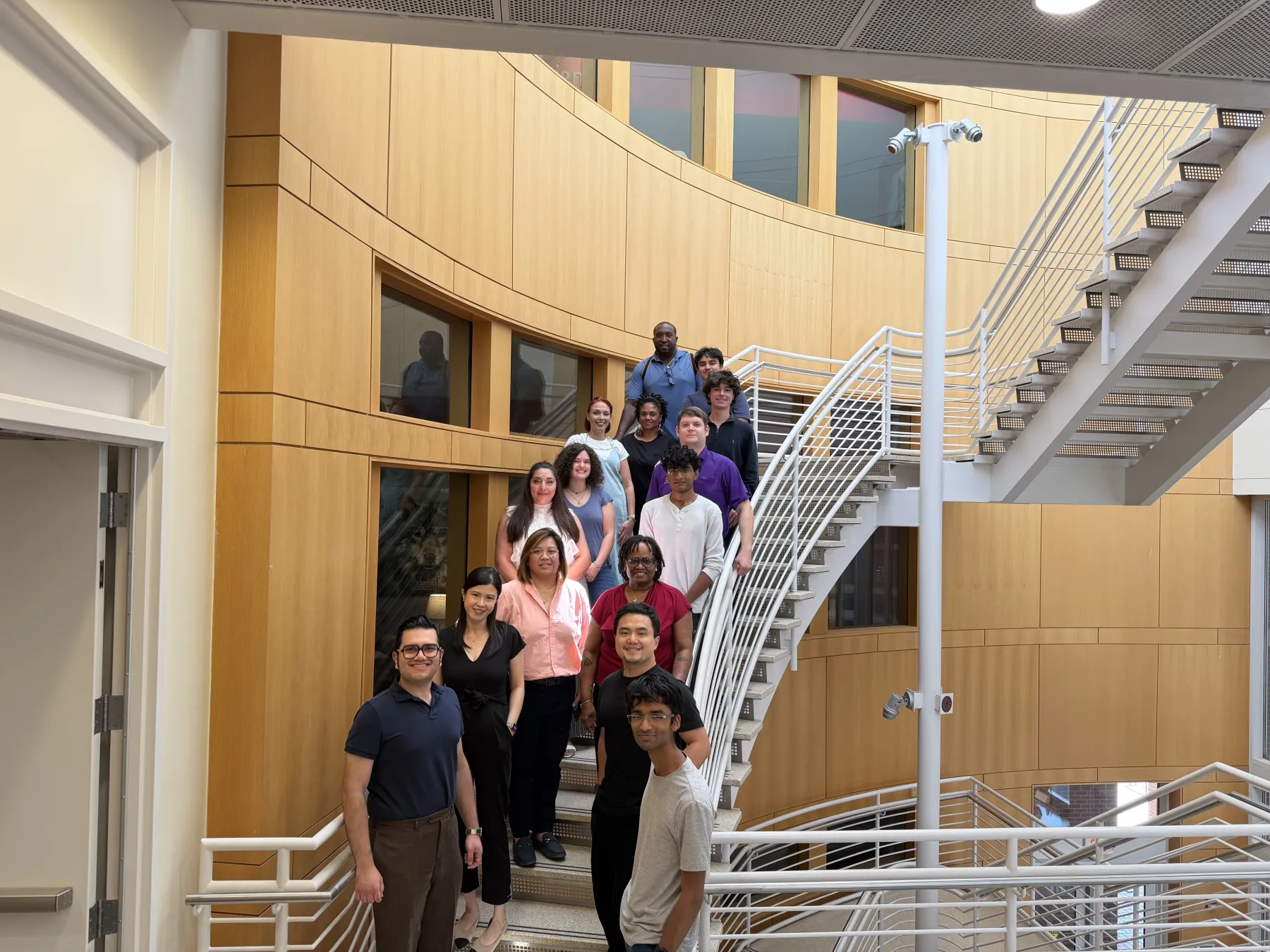
  • About twenty ExLAIM participants posing on a curved staircase in a university building.
    The ExLAIM 2026 cohort: K–12 teachers, undergraduate developers, and the program team.
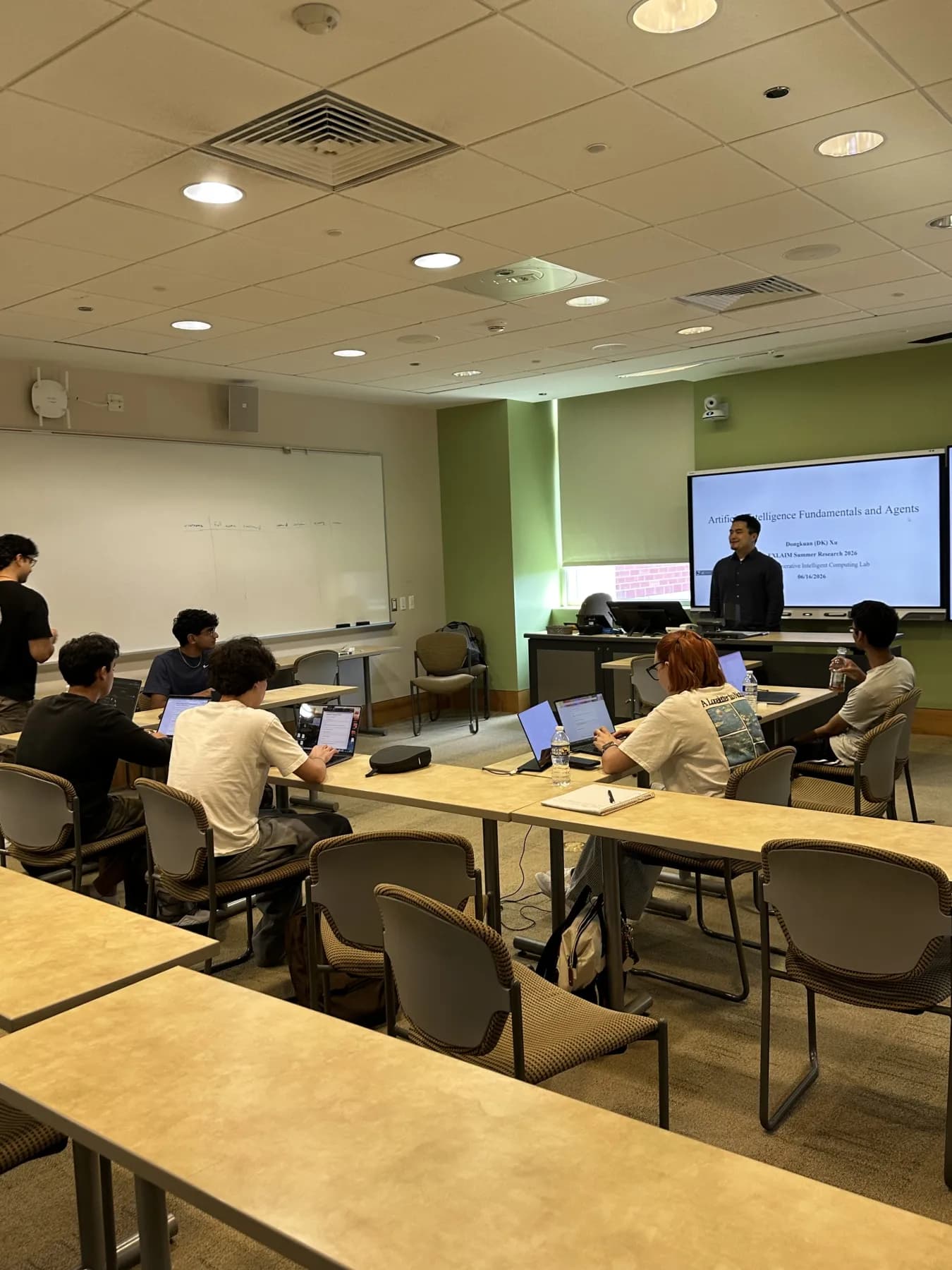
  • A presenter in front of a slide titled Artificial Intelligence Fundamentals and Agents, with developers working on laptops.
    A session on AI fundamentals and agents during the developer preparation weeks.
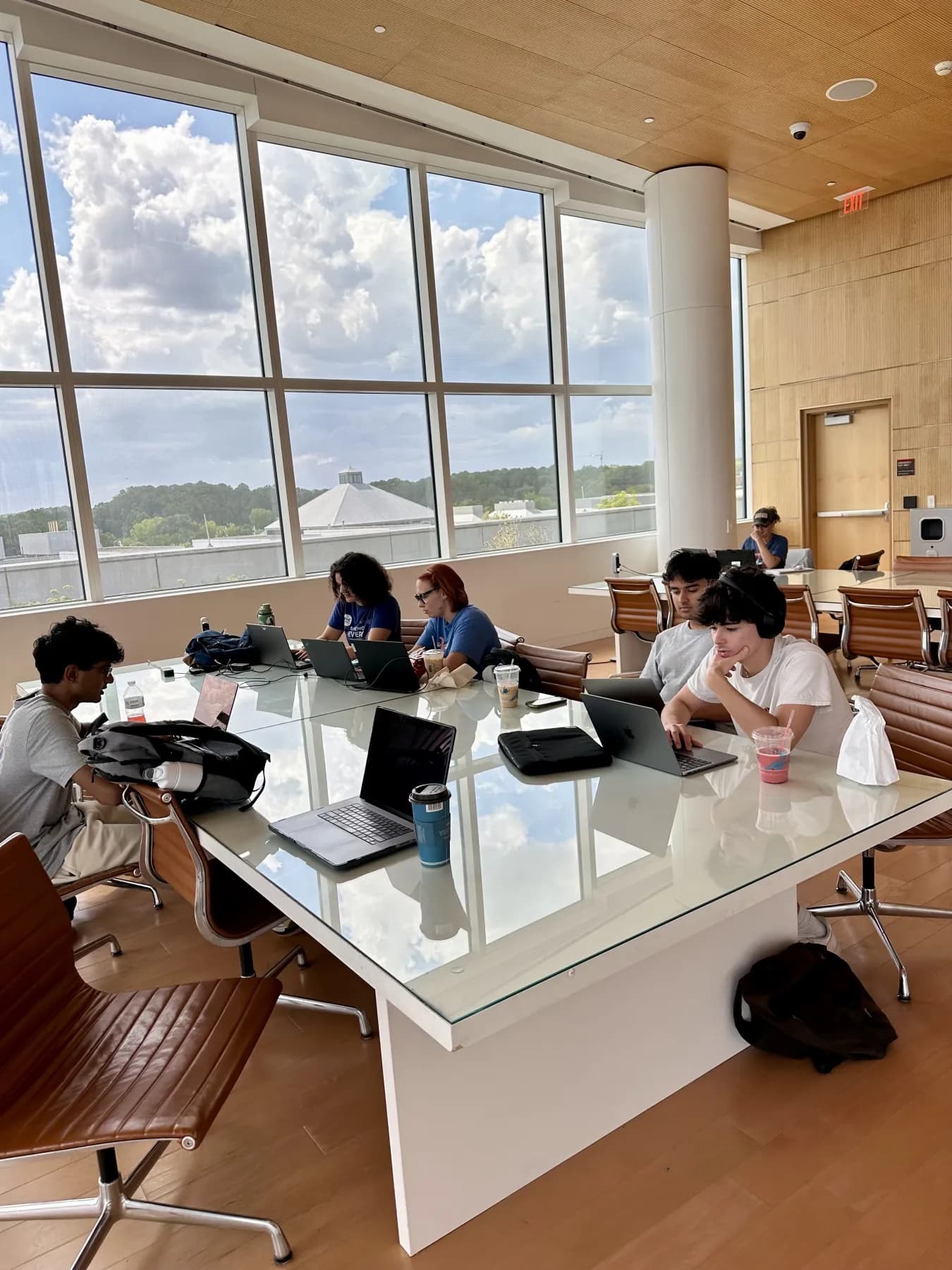
  • Developers working on laptops around a long glass table beside tall windows.
    Developers at work on MerryQuery.
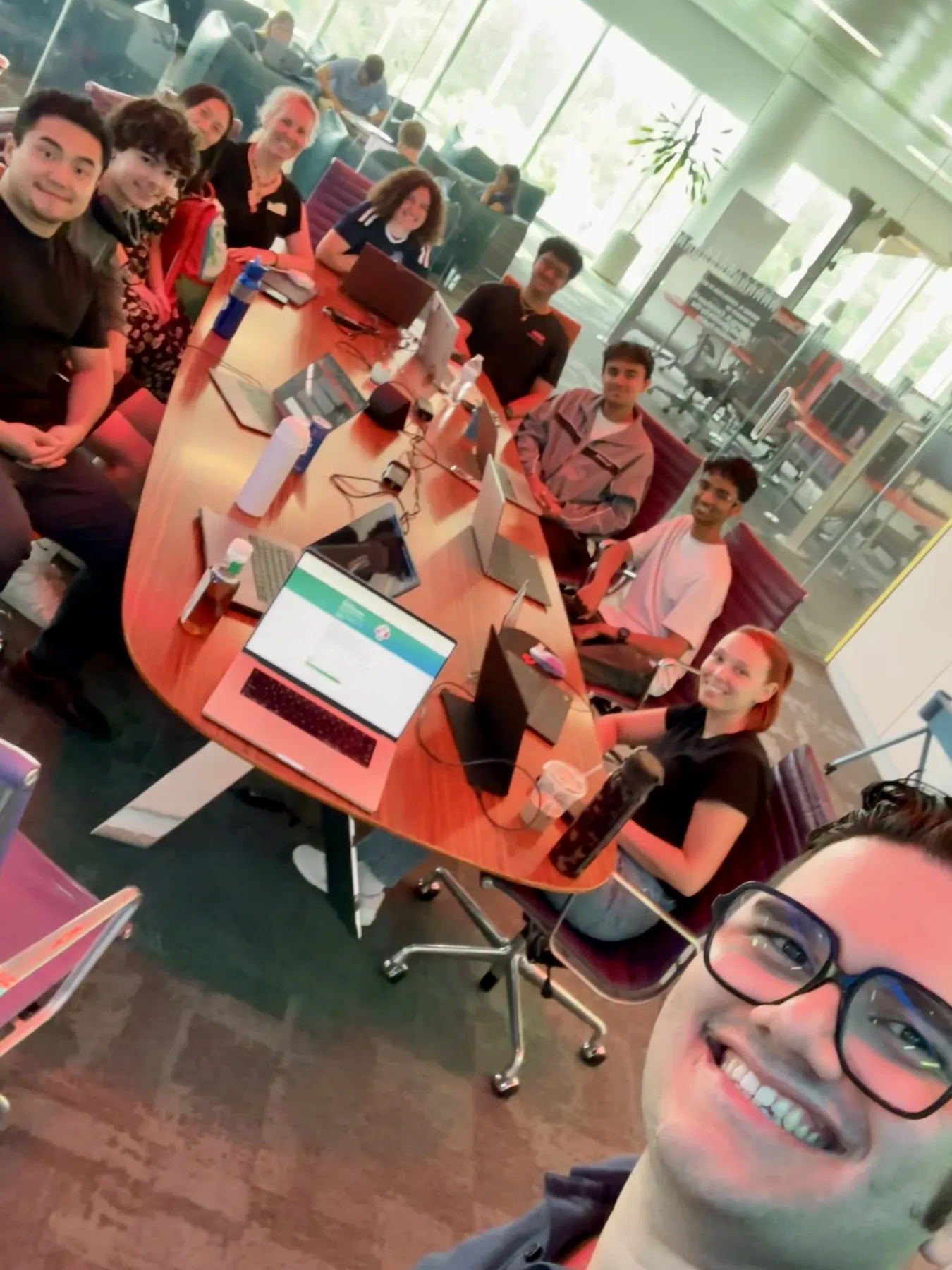
  • A selfie of teachers and developers smiling around a conference table covered with laptops.
    Teachers and developers working together during the co-design weeks.
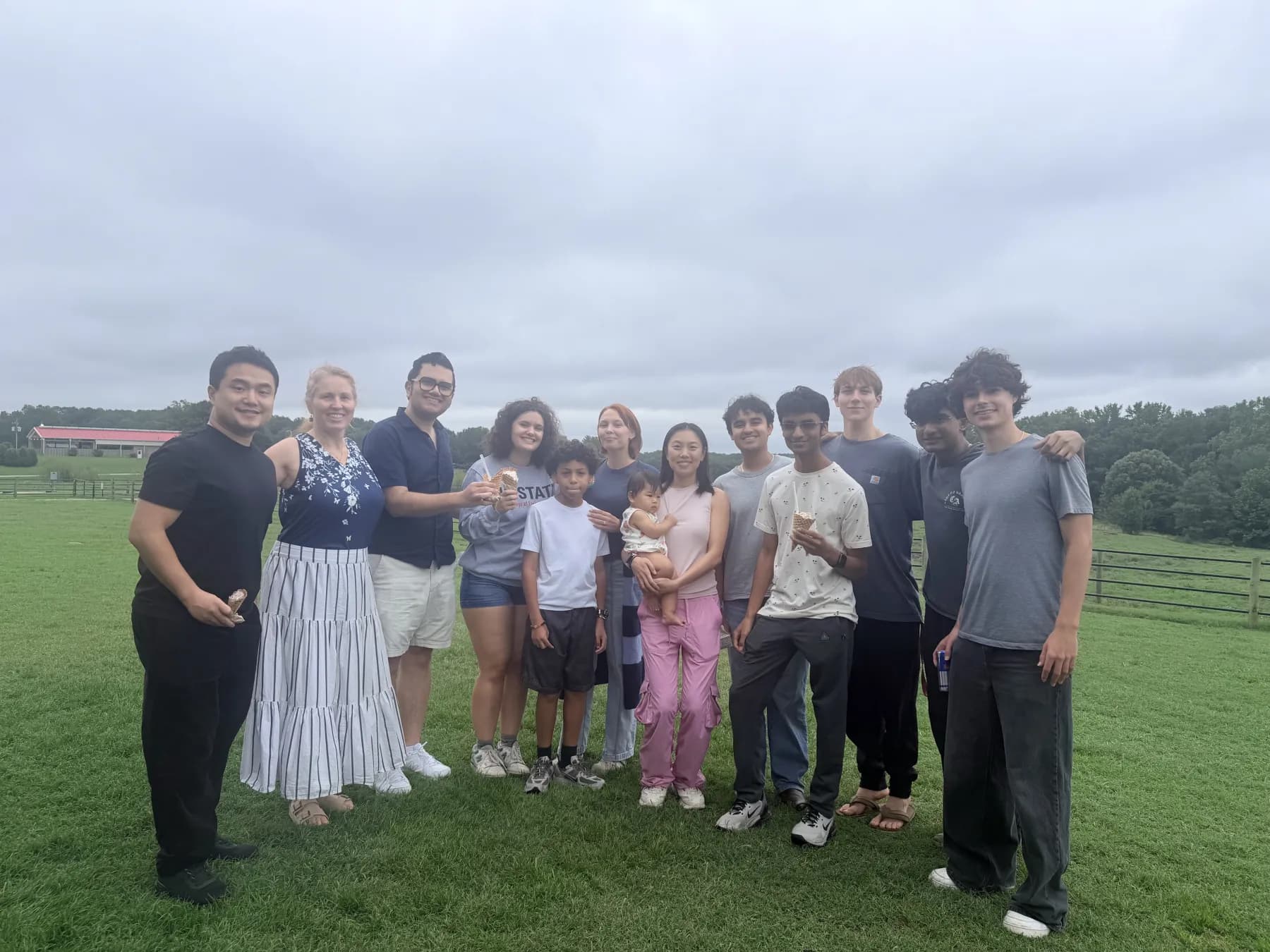
  • The ExLAIM group standing together on a grassy farm field on a cloudy day.
    A summer outing with the ExLAIM team.

Outcomes

Five tools, traced from classroom concerns

Each team built one primary tool. Here is where each started, what shipped, and what the team recommends doing next.

Team Mode
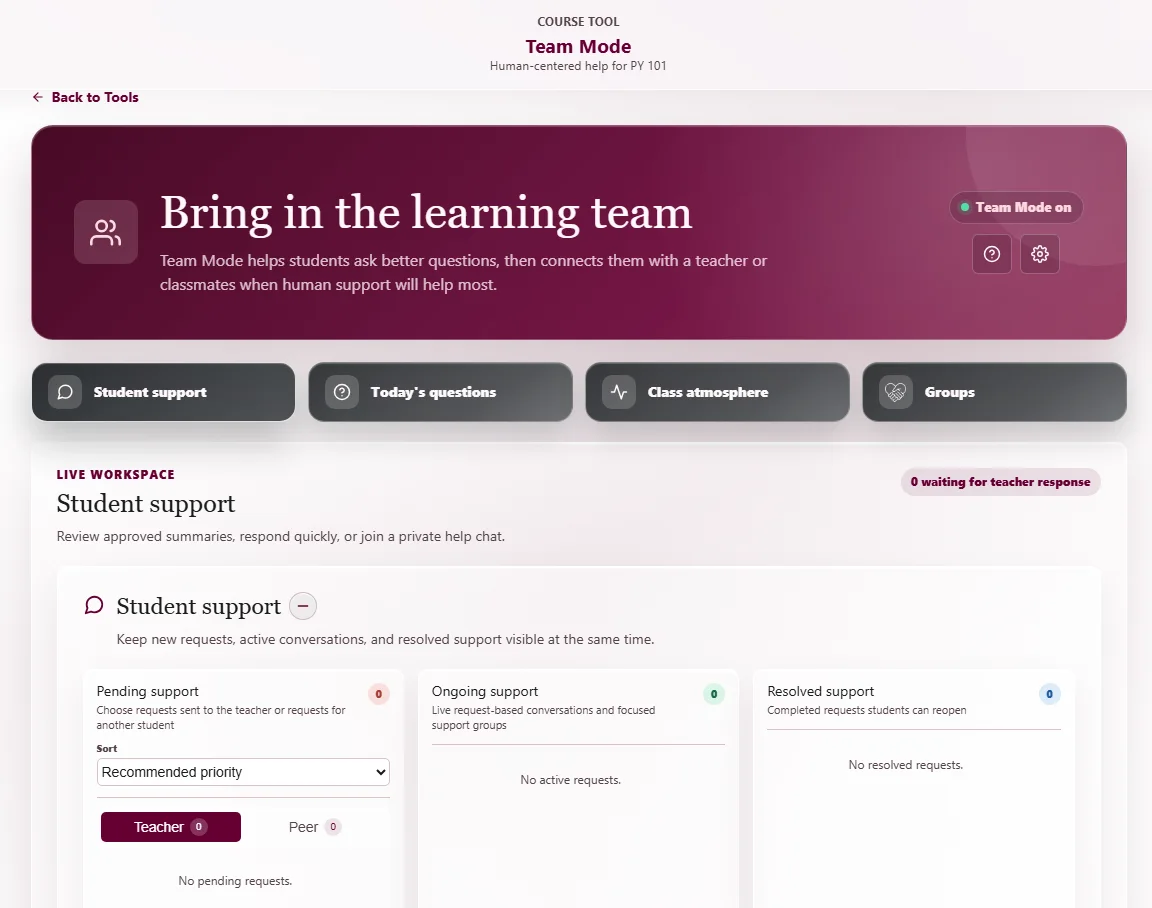
Team Mode teacher workspace with columns for pending, ongoing, and resolved student support requests.

Team 1

Team Mode

Students get stuck during independent work but hesitate to ask for help, and working alone with AI leaves fewer chances to learn from classmates.

Students send a teacher or peer a short, editable summary of where they are stuck, never their whole private AI conversation. Teachers manage pending, ongoing, and resolved requests, organize groups, join peer rooms, and decide how much an AI facilitator can help.

Next steps

  • Pilot it in a classroom, measuring time to get help, request completion, usability, and teacher workload.
  • Replace frequent polling with secure real-time updates, tested with many students at once.
  • Use pilot results to tune when help invitations appear, how requests are prioritized, and how much the AI facilitator joins in.
Collaborative Boards
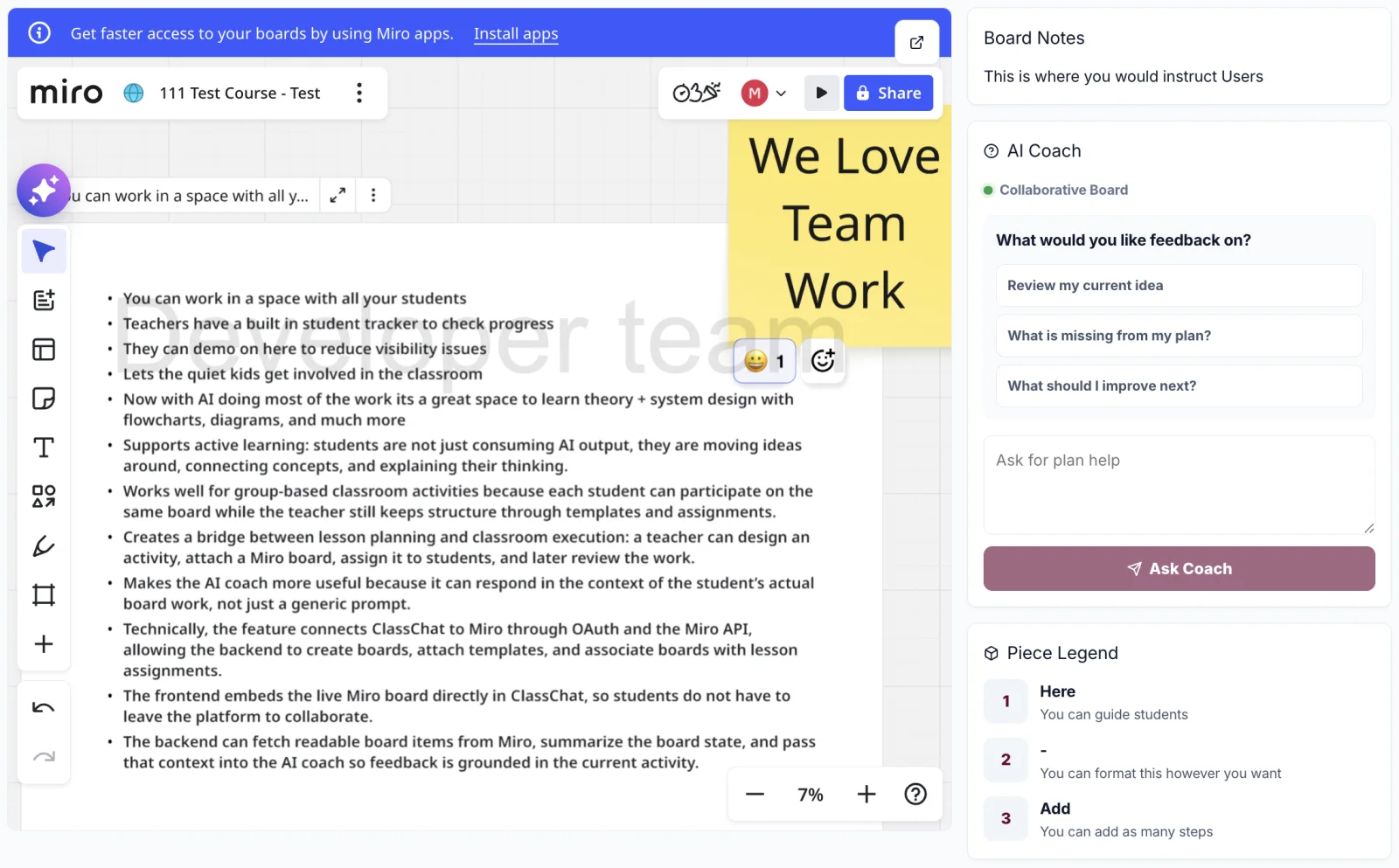
Student view of a Collaborative Board: an embedded Miro board beside board notes and an AI Coach panel.

Team 2

Course-grounded preparation & Collaborative Boards

Teachers wanted to prepare from their own course materials and run shared classroom activities without sending students to separate apps and accounts.

Flashcards and cited lesson plans generated from selected course files, plus Collaborative Boards: a teacher creates a Miro activity in MerryQuery, shares a short code, and students join without a Miro account. A board-aware AI Coach reads the visible board, instructions, and recent conversation.

Next steps

  • Run a structured teacher and student study with task timing, errors, and post-use interviews.
  • Improve source and page provenance in retrieval before adding more generated materials.
  • Delete the matching Miro board automatically when a teacher removes a board in MerryQuery.
  • Separate participation signals from grading evidence in board analytics.
Daily Activity
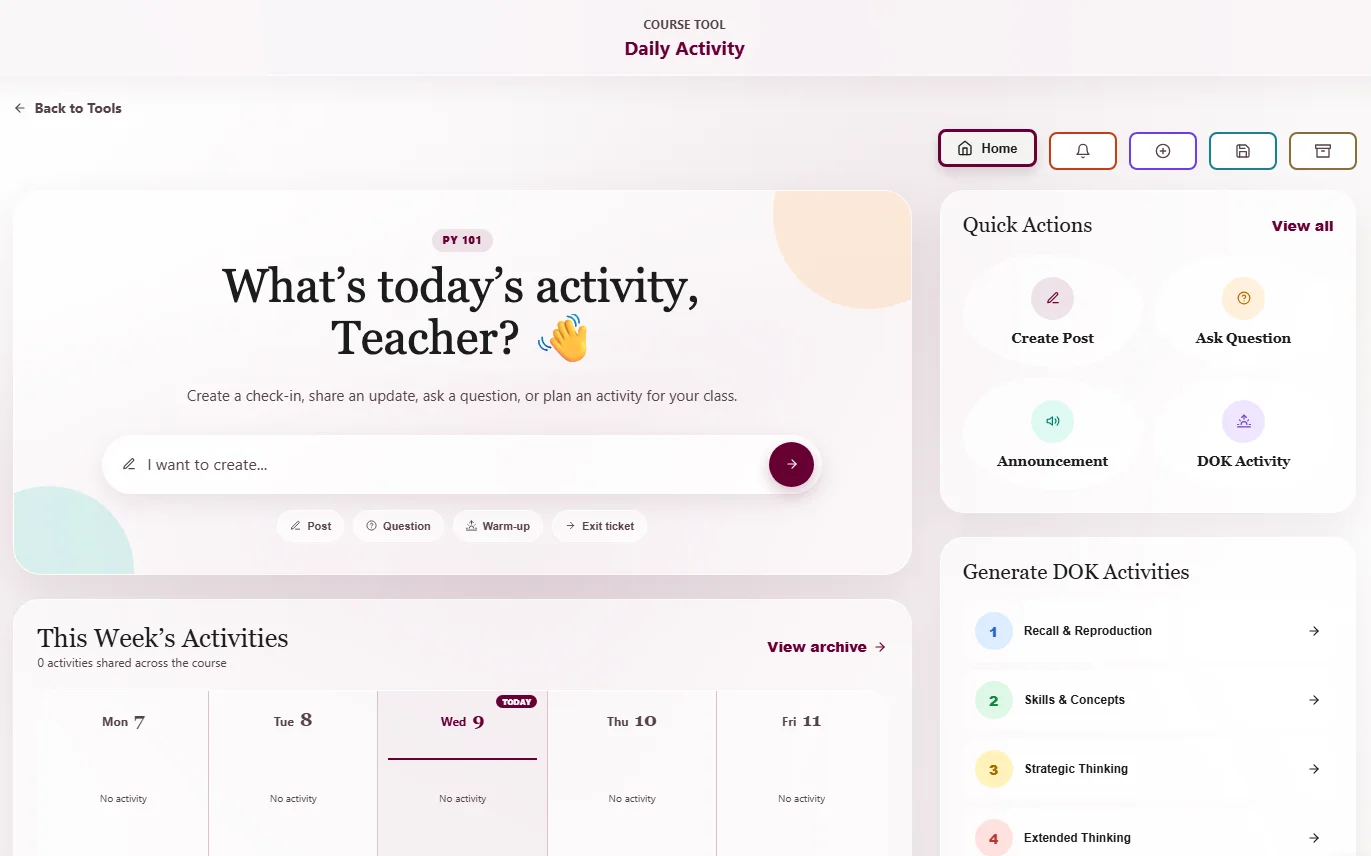
Daily Activity teacher landing page with a weekly calendar, quick actions, and Depth of Knowledge activity options.

Team 3

Daily Activity

One teacher needed daily class communication with an archive; another wanted customizable warm-ups and exit tickets.

A course landing page for announcements, questions, and AI-generated warm-ups and exit tickets at a chosen Depth of Knowledge level, grounded in course files the teacher selects. Students see what is new; teachers see who has read or responded.

Next steps

  • Add scheduled posting so teachers can queue activities ahead of time.
  • Test generated warm-ups and exit tickets across more classes and subjects.
Feedback Generator
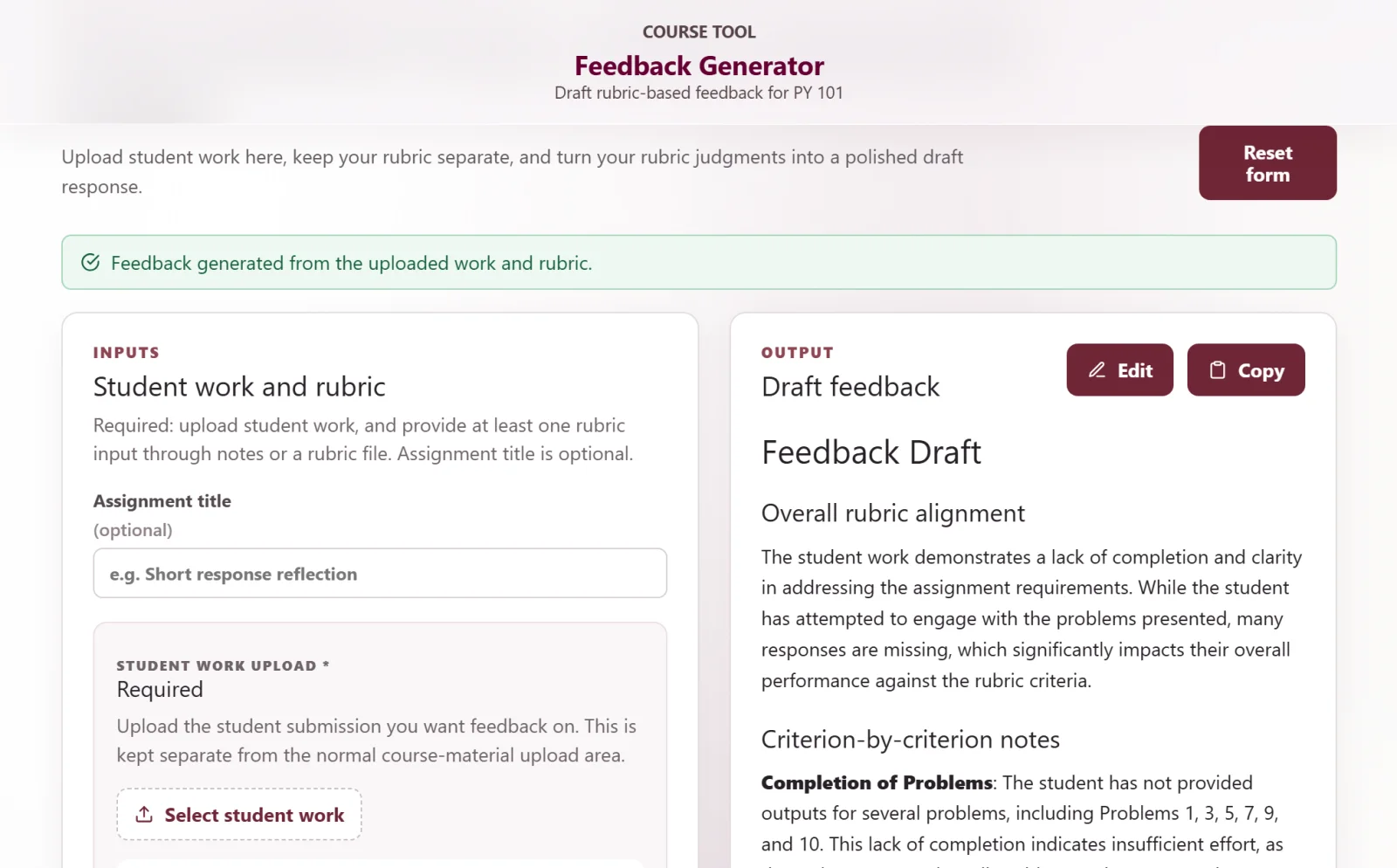
Feedback Generator with student work and rubric inputs on the left and an editable feedback draft on the right.

Team 4

Course Materials, Feedback Generator & Teaching Guidance

Teachers needed a simpler way to manage course files, and detailed individual feedback on projects took hours to write.

A rebuilt Course Materials workspace with folders, search, drag-and-drop, file conversion, and Google Drive import; a Feedback Generator that drafts feedback from student work and a rubric; and Teaching Guidance that suggests how to explain any part of an AI answer a teacher highlights.

Next steps

  • Run a broader usability study with real assignments, rubrics, and course materials.
  • Show teachers which sources informed each feedback draft or teaching suggestion.
  • Support reusable rubric templates and structured criteria, and study whether teachers edit, copy, or discard drafts.
Practice Sets & Quizzes
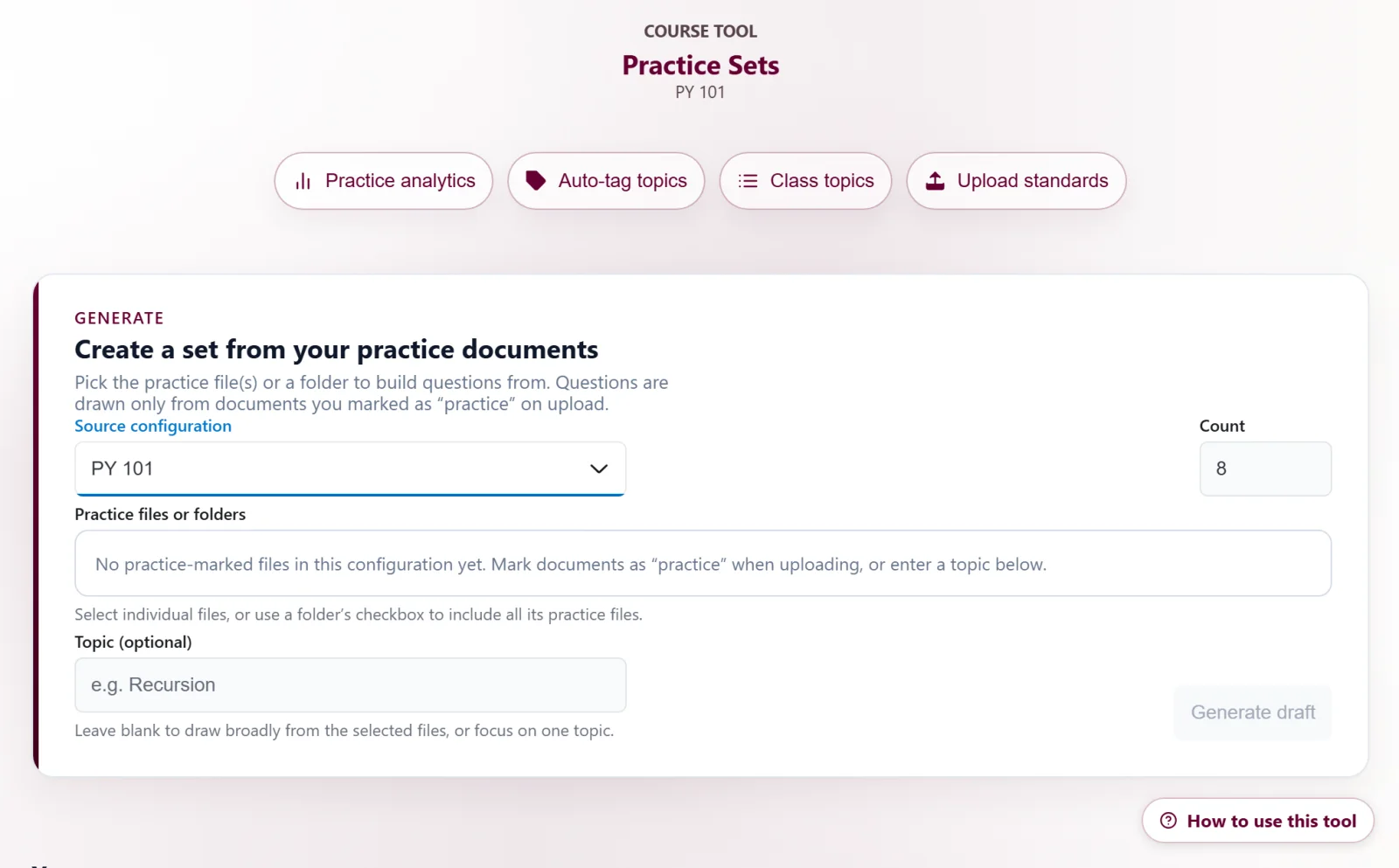
Practice Sets teacher interface for generating a question set from selected practice documents.

Team 5

Practice Sets & Quizzes

Teachers wanted timely visibility into which practice topics students struggle with, without grading and tallying paper exercises by hand.

Practice questions generated from the teacher's own documents, completed online, and rolled into live topic-level analytics. A late request extended the work to Quizzes: generation, configuration, live monitoring, grading, and the ability to lock a student out of an attempt.

Next steps

  • Show teachers in the app how much confidence a clean proctoring report deserves.
  • Map topic mastery to formal curriculum standards so analytics roll up into the reports administrators ask for.
  • Check the Canvas (QTI) and Blooket exports against real imports on a regular schedule, and add math rendering to QTI export.

Across the teams

Teachers asked for human checkpoints

Editable drafts, review before release, and control over when AI contributes came up in every team.

01

Working versions settled open questions

Broad classroom goals left practical questions unanswered until teams could try the software: what a student shares when asking for help, where students get stuck joining a board, which materials a warm-up should draw on.

02

People decide what the AI uses and shares

Students approve the summary they send. Teachers choose source files and review generated activities and feedback before anyone sees them. Student submissions stay out of course-wide retrieval.

03

Next: real classrooms

Testing so far involved teachers, other teams, and mentors, not students. The teams' next steps center on piloting the tools in classrooms and refining them with what students actually do.

How it worked

Structure that made four weeks enough

PI Tiffany Barnes and Co-PIs DK Xu, Joey Huang, and Xiaoyi Tian served as faculty mentors, and two development leads, a graduate lead, and industry practitioners supported the teams throughout. Developers kept building until about 5 p.m. after teachers left.

  • Stable teams

    Each team paired one developer with one or two teachers for the full four weeks.

  • Two-reviewer code review

    Every change was reviewed by two other developers, usually including a development lead, before merging.

  • Daily reflection

    Each day closed with a half-hour reflection on progress and plans.

  • Industry mentors

    Guest speakers on AI development, plus a weekly mentor each team chose for relevant expertise.

  • Cross-team testing

    In the final two weeks, members of other teams tested every tool and reported feedback.

  • AI in the News

    Teachers led a weekly session on new developments in educational AI.

People

The 2026 cohort

PI, Co-PIs, and graduate lead

Developers and development leads

  • Photo of Aditya BasarkarAditya BasarkarDevelopment lead · NC State University
  • Photo of Daniel BricenoDaniel BricenoDevelopment lead · NC State University
  • Photo of Susanna QuayleSusanna QuayleUndergraduate developer · NC State University (transferred from Fayetteville Tech CC)
  • Photo of Faaz MohamedFaaz MohamedUndergraduate developer · University of Pittsburgh
  • Photo of Matheus MarquesMatheus MarquesUndergraduate developer · The College of New Jersey
  • Photo of Lokesh SharmaLokesh SharmaUndergraduate developer · University of California, Irvine
  • Photo of Nicole Ackerman-LoweryNicole Ackerman-LoweryUndergraduate developer · Fayetteville Technical Community College

K–12 teachers

  • ABAlgie BrodnaxGTCC Middle College
  • LCLatoya ClayHillside High School
  • LSLohanna SanchezRagsdale High School
  • MCMadeline CutchinNash Central Middle School
  • MWMarcia WinborneJF Webb High School
  • MAMarie Antonette JimenezDiscovery Charter School
  • MMMason McDanielBroughton High School
  • TMTiffany McMillanJack Britt High School
  • TFTina FoxApex Friendship High School

Paper · under review

Teachers and Developers Building Together: The ExLAIM Six-Week Co-Design Program for Developing AI-Supported Classroom Tools

This material is based upon work supported by the National Science Foundation under Grant No. DUE-2526340. Any opinions, findings, and conclusions or recommendations expressed in this material are those of the author(s) and do not necessarily reflect the views of the National Science Foundation.